
As photographers, we live and die by our image quality. We spend thousands of dollars on the essential photography gear and hours meticulously editing every frame to perfection. But there is a silent killer lurking in your workflow that can undo all that hard work in a matter of milliseconds: poor image compression.
Whether you are building a portfolio, sending proofs to a client, or updating your blog, the way you shrink your files matters. If you do it wrong, your crisp, high-end shots look like they were taken with a flip phone from 2005. If you don't do it at all, your website becomes so slow that potential clients bounce before the first pixel even renders.
This guide is sponsored by proshoot.io, the platform helping photographers manage their business with ease. Today, we’re diving into the seven most common compression mistakes and how a tool like Pixel-Shrink.com is designed to fix them instantly.
1. The "Maximum Squeeze": Over-Compressing for Size
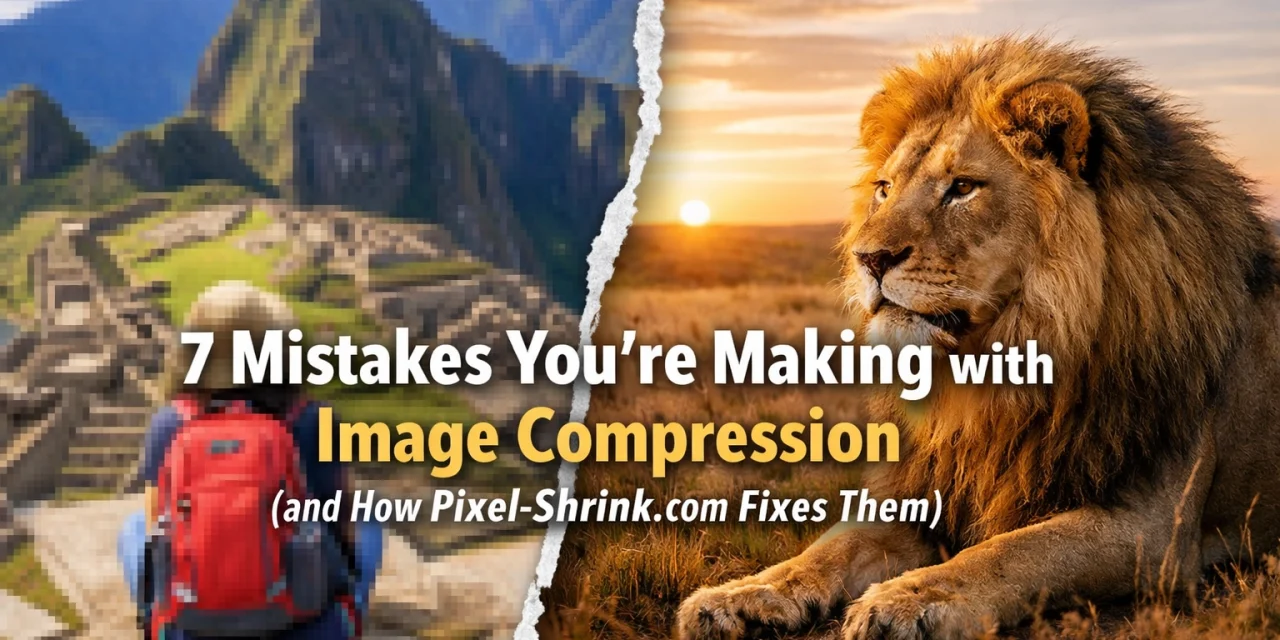
The most common mistake is being too aggressive. We all want fast-loading websites, but setting your export quality to 20% just to save a few kilobytes is a recipe for disaster. This leads to "artifacting": those blocky, digital patterns that appear in gradients like skies or skin tones.
When you over-compress, you lose the subtle details that make professional photography stand out. Pixel-Shrink.com fixes this by using intelligent algorithms that analyze the "perceptual quality" of an image. Instead of a blind percentage, it identifies the breaking point where quality begins to drop and stops right there, ensuring you get the smallest file size possible without the "crunchy" look of over-processed JPEGs.

2. Using the Wrong File Format
Are you still saving every single photo as a PNG? Or worse, using a heavy JPEG for a simple logo with a transparent background? Using the wrong format is a massive drain on performance.
- JPEG is king for complex photographs.
- PNG is for graphics, logos, and anything needing transparency.
- WebP is the modern standard that offers better compression than both.
Most photographers stick to JPEG because it's what they know. However, Pixel-Shrink.com streamlines this by offering modern format conversion. It allows you to take those heavy legacy files and convert them into WebP or optimized JPEGs automatically, ensuring your camera reviews 2024 or wedding galleries load at lightning speed.
3. Forgetting to Resize Dimensions First
Compression and resizing are two different things. If you take a 6000-pixel wide image from your Sony A7R and upload it to a blog where the content width is only 800 pixels, you are wasting an incredible amount of data. Even if you compress that 6000px image, it’s still physically huge.
A critical step in any educational photography workflow is "downsampling." You should always resize the image to the actual display dimensions before applying compression. Pixel-Shrink.com makes this easy by allowing you to set specific dimensions, ensuring you aren't asking a user’s mobile phone to download a billboard-sized file just to see a small thumbnail.
4. The "Save As" Spiral: Compressing Multiple Times
JPEG is a "lossy" format. This means every time you open a JPEG, make a change, and save it again, the computer "tosses out" more data. If you compress an already compressed file, the quality degrades exponentially. This is known as generational loss.
Many photographers make the mistake of exporting a "web-ready" version from Lightroom, then running it through another compressor, and then perhaps a social media uploader. By the time it hits the screen, it’s a muddy mess. The fix? Always go back to your high-resolution original. Pixel-Shrink.com is designed to handle high-quality originals and give you the final, optimized version in one single step, preserving the integrity of your work.
5. Ignoring Mobile Device Performance
You might be sitting at a high-end workstation with a fiber-optic connection, thinking your 2MB images load "just fine." But your clients are often viewing your work on a 4G connection in a coffee shop. If your images aren't optimized, your site will feel sluggish and broken.
Google now uses "Core Web Vitals" as a ranking factor, and image load speed is a huge part of that. If you want to rank for terms like wedding photography insights or atlanta event photographer, your site needs to be fast. Pixel-Shrink.com optimizes for the mobile experience, stripping out unnecessary metadata (like GPS coordinates or camera serial numbers) that adds weight to the file without adding anything to the visual experience.
6. Relying on "CSS Resizing"
This is a technical mistake that many beginners make. They upload a large file and then use their website builder (like WordPress or Squarespace) to "shrink" it visually. While the image looks smaller on the page, the user's browser still has to download the full-sized file.
This is like trying to fit a grand piano into a tiny room by just painting a picture of a smaller piano over it: the weight is still there. True compression happens at the file level. Using a dedicated tool like Pixel-Shrink ensures the actual "weight" of the file is reduced, rather than just the visual footprint.
7. Not Compressing at All
Perhaps the biggest mistake is the "all or nothing" approach. Some photographers fear quality loss so much that they simply upload full-resolution files. This is a quick way to kill your SEO and frustrate your visitors.
In the modern web, "Good enough for the eye" is better than "Perfect for the print." A 10MB file and a 200KB file can look identical on a smartphone screen. If you aren't using an optimization tool, you’re essentially leaving the door open for your competition to provide a better, faster user experience.
How Pixel-Shrink.com and ProShoot.io Help You Succeed
Photography is 50% talent and 50% business management. You need tools that respect your art while making your workflow efficient. This is why we recommend incorporating Pixel-Shrink.com into your daily routine. It’s built for the speed that modern photographers need and the quality that high-end clients expect.
Furthermore, managing your photography business shouldn't be a headache. That’s where proshoot.io comes in. While Pixel-Shrink handles your files, ProShoot handles your photography booking experience, from scheduling to invoicing. Together, they form a tech stack that lets you focus on what you actually love: taking photos.
Summary: A Checklist for Better Images
To avoid these common pitfalls, follow this simple workflow every time you prepare images for the web:
- Start with the original: Never compress a file that has already been "shrunk."
- Resize first: Set your dimensions to match your website's layout.
- Choose the right format: Use WebP where possible, or JPEG for photos.
- Use Pixel-Shrink.com: Let the AI handle the heavy lifting of finding the perfect quality-to-size ratio.
- Test it out: Open your site on a phone to ensure the experience is seamless.
By taking these small steps, you ensure that your portfolio looks as professional as the work you put into it. For more tips on elevating your craft, check out our reviews of the latest gear and software. Your pixels deserve to be seen in their best light( don't let bad compression dim their glow.)













