
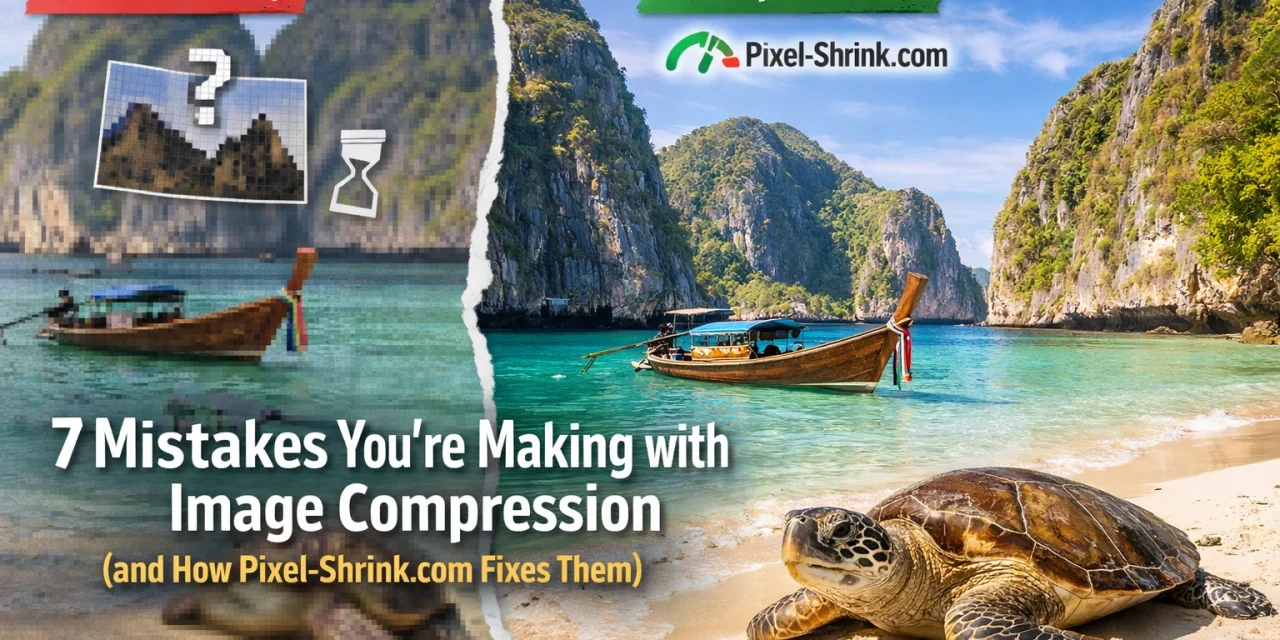
We’ve all been there. You spend hours: maybe even days: scouting the perfect location, waiting for the golden hour, and meticulously editing your RAW files until every shadow and highlight is just right. You export your masterpiece, upload it to your portfolio or blog, and then… your website takes forever to load. Or worse, the image looks like it was captured on a flip phone from 2005.
As photographers, we often treat image compression as an afterthought. We’re so focused on the creative side that the technical "boring" stuff gets pushed to the back burner. But here’s the reality: if your images aren’t compressed correctly, your audience isn't seeing your best work. They’re seeing a pixelated mess, or they’re leaving your site because it’s too slow.
That’s where Pixel-Shrink.com, a fantastic tool sponsored by our friends at proshoot.io, comes in. It’s designed specifically for photographers who refuse to compromise on quality but need the speed of a modern web experience.
Let’s dive into the seven most common mistakes photographers make with image compression and how you can use Pixel-Shrink to fix them once and for all.
1. The "Crushed" Look: Compressing Too Much
The most obvious mistake is simply overdoing it. We get it: you want your site to be lightning-fast, so you crank that "quality" slider down to 20%. The result? Banding in the skies, blocky artifacts in the shadows, and a loss of that fine detail you worked so hard to capture with your essential photography gear.
Most generic compression tools use "dumb" algorithms. They apply a blanket level of compression across the entire image without considering what’s actually in the frame. A blue sky needs different treatment than a detailed forest floor.
The Pixel-Shrink Fix: Pixel-Shrink uses intelligent, content-aware algorithms. It analyzes the image to find the "sweet spot": the exact point where the file size is minimized but the visual quality remains indistinguishable from the original. It’s about being smart, not just small.

2. Using the Wrong File Format
Are you still uploading high-res PNGs for your landscape shots? Or maybe you’re using JPEGs for logos with transparent backgrounds? Choosing the wrong format is one of the fastest ways to bloat your page weight.
JPEGs are great for photographs because they handle gradients and colors efficiently. PNGs are lossless and perfect for graphics but can be massive for photos. Then there’s WebP: the modern standard that offers even better compression than JPEG while maintaining high quality.
The Pixel-Shrink Fix: Pixel-Shrink makes format management a breeze. It helps you convert images into the most efficient format for the web, including WebP. By switching to more modern formats through the platform, you can often see a file size reduction of 30% or more over traditional JPEGs without any visible loss in detail.
3. Forgetting to Resize Before Compressing
This is a huge one. Even the best compression tool in the world can’t save you if you’re trying to upload a 6000px wide image to a container that only displays at 800px. You’re essentially forcing the user’s browser to download a massive file and then do the work of shrinking it down. It’s a waste of bandwidth and a major drag on SEO.
When we look at camera reviews in 2024, we see megapixels climbing higher and higher. While that’s great for printing large-scale gallery pieces, it’s overkill for a blog post.
The Pixel-Shrink Fix: Pixel-Shrink allows you to define the dimensions of your output. By resizing the image to its actual display size before the compression algorithm does its work, you can reduce file sizes by up to 80%. It’s the "one-two punch" of web optimization.

4. Generational Loss: Compressing the Same Image Multiple Times
JPEG is a "lossy" format. This means every time you save a JPEG, a little bit of data is thrown away. If you export a JPEG from Lightroom, then run it through a basic online compressor, then your website’s CMS compresses it again upon upload, you’re suffering from generational loss. By the time the image reaches the reader, it’s a ghost of its former self.
The Pixel-Shrink Fix: To avoid this, you should always start with a high-quality export and make Pixel-Shrink your final step before the web. Because Pixel-Shrink is designed for photographers, its compression is "visually lossless." It’s designed to be the definitive final touch that prepares your work for the world without the "mushy" look that comes from repeated, low-quality saves.
5. Neglecting the Mobile Experience
In 2026, more people will likely view your photography on a smartphone than on a 27-inch 5K monitor. If you optimize your images only for desktop, you’re alienating a massive portion of your audience. A 500KB image might load instantly on fiber internet, but on a spotty 4G connection in a coffee shop, it can feel like forever.
Speed is a critical part of the photography booking experience. If a potential client visits your site and the images don't pop up instantly, they’ll assume you’re not professional or that your site is broken.
The Pixel-Shrink Fix: Pixel-Shrink focuses on "Speed of Delivery." By drastically reducing file sizes, it ensures that your portfolio loads instantly on mobile devices. This keeps users engaged and lowers your bounce rate, which Google rewards with better search rankings.

6. Relying Solely on "Auto" Settings in WordPress
Many photographers rely on built-in plugins for their websites that claim to "optimize images on upload." While these are convenient, they are often "one-size-fits-all." They apply the same heavy-handed compression to a high-contrast architectural shot as they do to a soft, moody portrait.
When you’re sharing something as delicate as wedding photography insights, you need the skin tones and fabric textures to remain crisp. You can’t leave that to a basic, automated script.
The Pixel-Shrink Fix: Pixel-Shrink gives you back control. It’s a dedicated tool that lets you see the results and ensures the integrity of the image is maintained. It provides a level of professional oversight that automated background plugins simply can’t match. It’s the difference between a microwave dinner and a home-cooked meal.
7. Not Compressing at All
Perhaps the biggest mistake of all is thinking that "my images are so good, people won't mind waiting." Trust us: they will mind. In the age of instant gratification, a slow-loading website is the kiss of death.
Even if you aren't a technical whiz, you should be compressing every single image that goes online. Whether you're posting about cheap weekend getaways or showcasing your latest commercial work, file size matters.
The Pixel-Shrink Fix: Pixel-Shrink removes the friction. It’s so fast and easy to use that there’s no longer an excuse to skip the compression step. By integrating it into your workflow, you’re showing respect for your audience's time and data.

Why Photographers are Turning to Pixel-Shrink.com
At Photoguides, we are always on the lookout for tools that make the lives of photographers easier. We’ve reviewed countless pieces of software in our reviews category, and the consensus is clear: speed is the new currency of the web.
Pixel-Shrink.com stands out because it doesn't treat your photos like just another "data file." It treats them like art. Sponsored by proshoot.io, it’s a tool built by people who understand that a photograph is a balance of light, color, and emotion.
When you use a tool that is optimized for photography, you get:
- Better Color Retention: No more washed-out reds or muddy greens after compression.
- Sharper Edges: Essential for architectural and product photography.
- Lightning-Fast Site Speeds: Which is essential for keeping your SEO in top shape.
Finding the Right Balance
Optimization is a journey, not a destination. As you continue to grow your skills: perhaps by reading through our educational articles: you’ll realize that the technical presentation of your work is just as important as the composition.
Don't let high file sizes hold your talent back. If you’ve spent thousands on the best lenses and cameras, don’t trip at the finish line by uploading unoptimized files. Head over to Pixel-Shrink.com, give your images the treatment they deserve, and watch your website transform into a fast, professional, and high-quality showcase of your vision.
Your images deserve to be seen in their best light: and they deserve to be seen now. Stop making these common compression mistakes and start shrinking your pixels the right way.













