
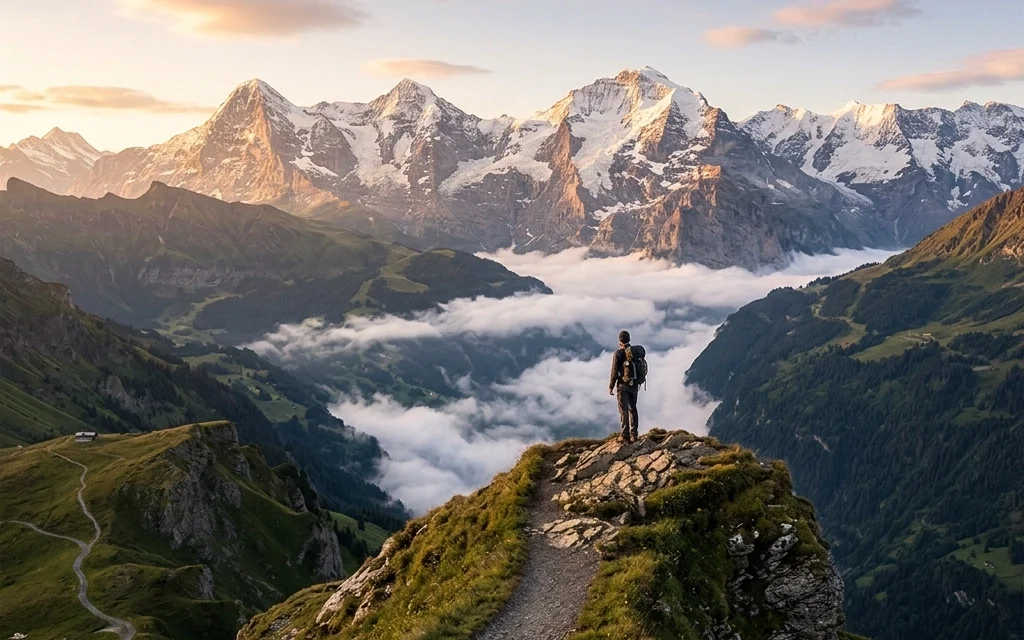
We’ve all been there. You wake up at 4:00 AM, hike three miles in the dark, and wait for that perfect sunrise over the ridge. You press the shutter, and for a second, you think you’ve nailed it. But when you get home and look at the raw file on your monitor, it feels… flat. The colors aren’t as vibrant as you remember, the sky is a bit washed out, and there’s a stray power line cutting through your pristine wilderness.
In the past, fixing these issues meant hours of tedious masking, layers, and fine-tuning in complex software. But things have changed. As part of our mission at Photoguides to make high-end photography accessible to everyone, I’ve been putting Luminar Neo through its paces. Honestly? It’s a total game-changer for landscape photographers.
If you’re looking to take your editing to the next level without spending your whole life behind a computer screen, you need to check out these five AI-powered tools. They don't just "fix" photos; they help you recreate the emotion you felt when you were actually standing there in the wild.
Before we dive into the specifics, you can grab your copy of Luminar Neo right here to follow along.
1. Accent AI: The Magic "Everything" Slider
If I had to pick just one tool to use for the rest of my life, it might be Accent AI. When you’re out shooting in places like Zion or the Smokies (which I talk about often over at my personal blog), the dynamic range can be a nightmare. You’ve got bright highlights in the clouds and deep, dark shadows in the canyons.
Accent AI is like having a professional editor living inside your computer. It analyzes your image and simultaneously adjusts about a dozen different parameters: shadows, highlights, contrast, tone, saturation, and exposure.
The beauty of it is that it’s "content-aware." It knows the difference between a tree and a person. It won't over-process the skin of a hiker while it's trying to bring out the texture in a rock face. It’s the perfect starting point for any landscape edit.

Alt text: A split-screen comparison showing a flat, RAW mountain landscape on the left and a vibrant, balanced edit using Luminar Neo's Accent AI on the right, highlighting recovered shadow detail and enhanced sky contrast.
2. Sky AI: Say Goodbye to Gray Days
We can’t control the weather. Sometimes you travel halfway across the world to a dream location, only to be met with a "white-out" sky that looks like a giant softbox. In the old days, replacing a sky meant hours of meticulous "feathering" around tree branches and mountain peaks.
Luminar Neo’s Sky AI does this in seconds. It doesn’t just slap a new sky on top; it relights the entire scene to match the new light source. If you swap a midday gray sky for a fiery sunset, the tool will actually cast a warm glow on the rocks and water in your foreground. It even handles reflections in lakes and puddles automatically.
For those of you looking to expand your library of options, we have some incredible sky overlays available for download that work perfectly with this workflow.
3. Structure AI: Detail Without the Drama
Landscape photography is all about texture: the cracks in a desert floor, the bark of an ancient pine, the jagged edge of a cliff. Standard sharpening tools often introduce "noise" or ugly halos around objects.
Structure AI is different. It’s designed to enhance "hidden" details and clarity without making the photo look crunchy or artificial. It identifies areas that should have more detail (like rocks and mountains) and leaves areas that should stay smooth (like the sky or a person’s face) alone. This tool is a staple in my workflow when I'm preparing images for my fine art collection, where every pixel counts.

Alt text: A close-up view of a rugged rock formation where Luminar Neo's Structure AI has been applied, revealing intricate textures and sharp edges without any digital artifacts or halos.
4. Twilight Enhancer: Recreating the Golden Hour
There is something truly magical about the "blue hour" and "golden hour." But as every pro knows, that light lasts for about fifteen minutes. If you miss it, you’re usually left with flat, uninspiring light.
The Twilight Enhancer tool in Luminar Neo is a lifesaver. It uses AI to simulate the atmospheric effects of dawn or dusk. You can choose from different presets like "Evening Glow" or "Early Morning Blue" and then customize the strength. It adds that soft, directional light and color grading that makes a landscape feel cinematic.
It’s one of those tools that makes you feel like a wizard. I recently used this on some shots for a review of the best landscape gear, and the results were indistinguishable from shots taken at the actual golden hour.
5. GenErase: The Ultimate Clean-Up Crew
No matter how careful you are with your composition, the world is a messy place. You might find a perfect vista, but there’s a trash can in the corner of the frame or a group of tourists walking through your long exposure.
GenErase is part of the new wave of Generative AI tools inside Luminar Neo. Unlike traditional "cloning" which just copies pixels from one spot to another, GenErase actually understands what should be behind the object you’re removing. If you erase a signpost in front of a forest, the AI will intelligently fill in the trees and leaves that should be there.
It’s the digital equivalent of a magic wand, and it’s why I always recommend Luminar in my camera reviews. It saves you from having to toss out a potentially great photo just because of a small distraction.

Alt text: A breathtaking coastal landscape showing a before and after where a distracting yellow warning sign and a stray piece of litter were seamlessly removed using Luminar Neo's GenErase tool.
Why Luminar Neo is the Pro Choice
I’ve been in this industry a long time, and I’ve seen software come and go. What makes Luminar Neo stand out: and why we’re featuring it in this 30-post series: is that it respects the artist. It doesn't take over your creative vision; it just removes the technical barriers that get in the way.
If you’re someone who loves the community side of things, check out Shut Your Aperture to see how other photographers are using these AI tools to push the boundaries of what’s possible.
Pro Tip: The Layered Approach
While these AI tools are powerful, the secret to a professional-looking landscape is subtlety. I usually start with Accent AI at about 30%, then layer in my Sky AI or Twilight Enhancer. If you go 100% on every slider, the photo will start to look like a video game. The goal is to enhance the reality, not replace it.
If you’re just starting out or looking to refine your style, I highly recommend checking out our educational section. We have a ton of deep dives into composition and lighting that will help you get the best RAW files possible before you even open Luminar.
Final Thoughts
Landscape photography is a journey. It’s about the hike, the wait, and the connection with nature. But the editing process is where you get to tell the story of that journey. With Luminar Neo, you have a toolkit that understands the nuances of light and landscape as well as you do.
Don't let a "boring" RAW file sit on your hard drive forever. Give these AI tools a shot and see how they can transform your work. You can download Luminar Neo here and start creating those unforgettable landscapes today.
And hey, if you find yourself wanting to put these tools to the test in a new location, maybe look into some cheap weekend getaways to find your next great shot.
Happy shooting, and even happier editing! If you have any questions about how to use these tools or want to see more software reviews, keep an eye on this series. We've got 29 more posts coming your way to help you master the art of the edit.













