
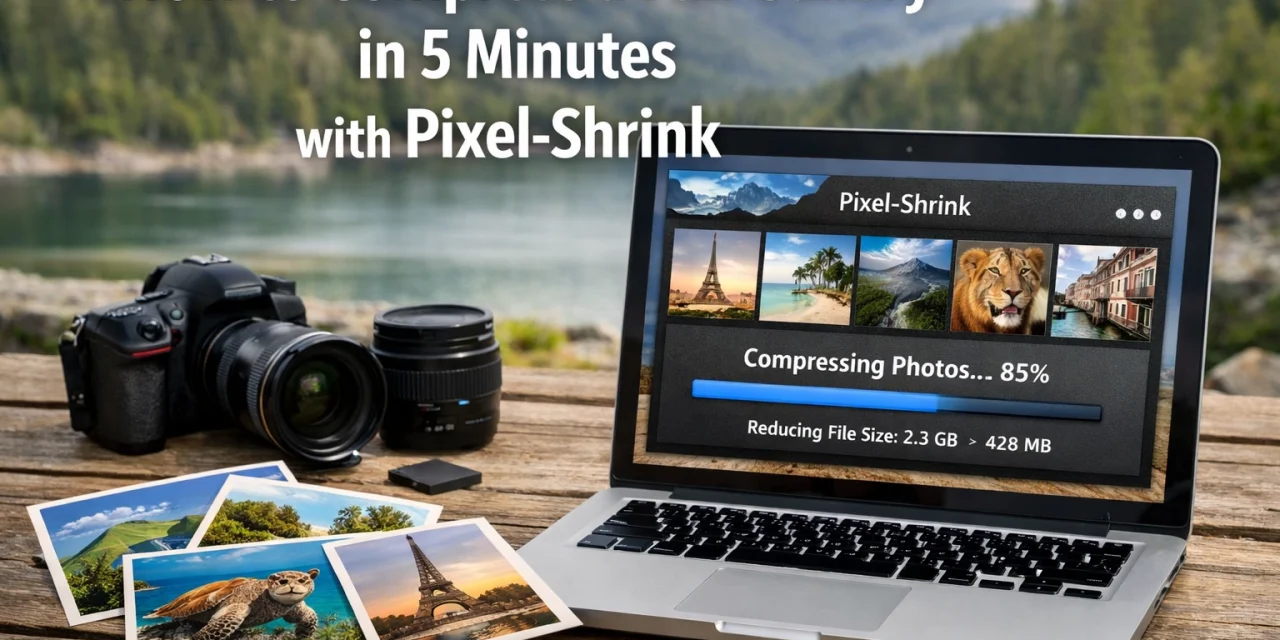
Let’s be real for a second: as photographers, we are absolute hoarders when it comes to data. We want the highest resolution, the deepest bit depth, and the cleanest files possible. We invest in the latest bodies: check out our camera reviews 2024 to see what I mean: and then we wonder why our hard drives are screaming for mercy and our client galleries take three days to upload.
I’ve been there. You finish a beautiful wedding or an intense commercial shoot, and you’re looking at 40GB of high-res JPEGs that need to go to the client. You start the upload, go to grab a coffee, come back, and the progress bar has moved… maybe 2%. It’s frustrating, it’s a bottleneck, and honestly, it’s a waste of your valuable time.
That’s where Pixel-Shrink comes in. I’ve been testing this tool lately (which, full disclosure, is sponsored by the legends over at proshoot.io), and it has completely changed how I handle my delivery workflow. We’re talking about compressing a full gallery in under five minutes without losing that crisp, professional quality your clients expect.
The Problem with Traditional Compression
Most of us have a love-hate relationship with image compression. We know we need it: especially if we want our websites to load quickly for SEO: but we’re terrified of "crunchy" artifacts, weird color shifts, or losing that fine detail in a bride's lace veil or the texture of a landscape.
In the past, batch processing usually meant opening up a heavy-duty editor, setting up an export action, and letting your computer turn into a space heater for an hour. Or worse, using "free" online compressors that strip your metadata and leave your photos looking like they were taken on a 2005 flip phone.
As someone who spends a lot of time capturing high-end imagery (you can see some of my work at Edin Fine Art), I can’t afford to let my quality slip. But I also can’t afford to wait forever.
Why Pixel-Shrink is a Game Changer
Pixel-Shrink was built specifically for photographers who need to move fast. It doesn't just "squash" files; it uses smart algorithms to identify where data can be shaved off without affecting the visual integrity of the image. It’s the perfect balance of speed and quality.
Here is why it has become a staple in my kit:
- Speed: It’s built for batch processing. You don’t have to do one by one. You drop the folder, and it flies.
- Quality Retention: Even at significant file size reductions (sometimes up to 80%), the images look identical to the originals to the naked eye.
- No Software Bloat: It’s streamlined. No 50-step installation or complex menus.
- SEO Optimized: Smaller files mean faster websites. If you’re trying to rank your photography business, page speed is a massive factor.
How to Compress Your Gallery in 5 Minutes (The Walkthrough)
I promised you five minutes, and I’m going to stick to that. Here is the exact workflow I use when I’m finishing up a project.
Step 1: Export Your High-Res Masters
First, do your normal edit. Whether you’re using Lightroom, Capture One, or something else, export your full-size JPEGs at 100% quality. Don’t worry about the file size yet. Just get them out and into a folder.
Step 2: Drag and Drop into Pixel-Shrink
Head over to pixel-shrink.com. The interface is dead simple. You just take that folder of images and drag it right into the browser. No matter if you have 50 images or 500, the tool starts analyzing them immediately.
Step 3: Choose Your Level
Pixel-Shrink gives you options. If you’re prepping for a client gallery for print, you might go lighter on the compression. If you’re prepping images for your blog or for your photography booking experience, you can go a bit heavier to ensure lightning-fast load times.
Step 4: Run the Batch
Hit the process button. This is where the magic happens. While traditional software might chug along, Pixel-Shrink utilizes modern web processing to handle the files in a flash.
Step 5: Download and Deliver
Once it’s done, you get a zip file (or individual files) back. Usually, a 1GB gallery is now down to about 200MB, but it looks exactly the same. Upload that to your delivery platform, and you’re done.
Why Proshoot.io Sponsors This Technology
The folks at proshoot.io know that the modern photography industry is about more than just taking pretty pictures: it’s about the business of photography. Efficiency is the difference between a profitable year and a year spent staring at a loading screen. By supporting tools like Pixel-Shrink, they are helping photographers reclaim their time so they can get back behind the lens.
If you’re looking to upgrade your gear to match this faster workflow, make sure to browse our guide on essential photography gear.
The Hidden Benefit: Better SEO
We talk a lot about gear and technique over at Shut Your Aperture, but we don't always talk about the technical side of running a website. If you host your own portfolio or blog, heavy images are your worst enemy.
Google hates slow websites. If a potential client clicks on your site and has to wait 10 seconds for your hero image to load, they are going to leave. By using Pixel-Shrink to optimize your images before you upload them to your site, you are significantly improving your user experience and your search engine ranking. It’s an easy win that most photographers overlook.
Real-World Results
I recently did a shoot for an Atlanta event photographer project. I had over 400 images to deliver. Usually, that would be a multi-hour upload process on a standard connection. After running them through Pixel-Shrink, the total folder size dropped by 75%. The upload took less than 15 minutes, and the client was thrilled with the fast turnaround.
More importantly, the client couldn't tell the difference. They were able to post the photos to social media and send them to their team instantly without hitting email attachment limits or running out of cloud storage.

Integrating This into Your Daily Workflow
Speed isn’t just a luxury; it’s a necessity. If you’re a busy pro, you need to automate as much of the "boring stuff" as possible. I’ve started including Pixel-Shrink as the final step in every shoot I do.
Whether I’m documenting Miami’s hidden speakeasies or shooting a high-end wedding, the process remains the same:
- Shoot
- Edit
- Shrink
- Deliver
It’s a reassuring feeling knowing that my files are optimized, my storage isn't being wasted, and my clients are getting their photos faster than ever.
Quality You Can Trust
I know some of you are still skeptical. You’ve been burned by bad compression before. My advice? Try it for yourself. Take one of your favorite high-detail shots, run it through the tool at pixel-shrink.com, and zoom in to 200%. If you can see a difference that would actually matter to a client or a viewer, then don't use it. But I think you’re going to be pleasantly surprised.
For more tips on the technical side of the craft, you can always check out my personal blog at Edin Chavez Blog. I’m constantly sharing new ways to streamline the "business" side of being a creative.

Final Thoughts
Our jobs as photographers are evolving. It’s no longer just about the click of the shutter; it’s about the entire lifecycle of the image. From the moment you pick up your essential gear to the moment the client downloads their gallery, every step should be as smooth as possible.
Pixel-Shrink, with the support of proshoot.io, has taken one of the most annoying parts of our job: file management: and made it almost instantaneous. Give it a shot on your next gallery. Your hard drive (and your sanity) will thank you.
If you found this guide helpful, feel free to explore more of our educational reviews and tutorials here on Photoguides. We’re here to make sure you spend less time behind a computer and more time out in the world capturing incredible moments.













