
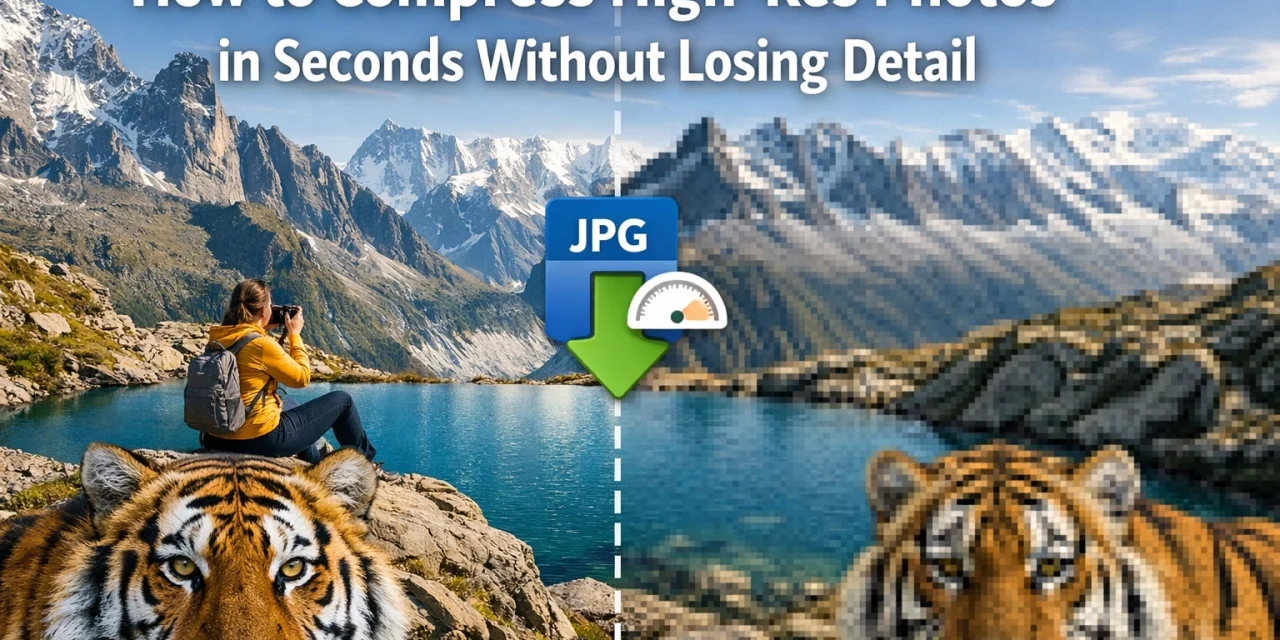
If you have ever spent the better part of an afternoon waiting for a batch of high-resolution RAW files to upload to a client gallery, you know the struggle. We live in an era where cameras are pushing 50, 60, and even 100 megapixels. While that detail is incredible for large-scale prints, it is a nightmare for web performance, email attachments, and storage management.
At Photoguides, we believe that your work deserves to be seen in the best possible light. But let’s be real: no one is going to wait ten seconds for your homepage to load just to see a single image. The challenge is finding that sweet spot where your photos remain crisp and professional, but the file size doesn't break the internet.
In this guide, we are going to dive into how you can compress your high-res photos in seconds without losing that precious detail. We’ll also look at a game-changing tool, pixel-shrink.com, which is making this process easier than ever for photographers.
The Battle Between Beauty and Bandwidth
As photographers, we are often our own worst enemies when it comes to file sizes. We want every single blade of grass and every highlight in the eye to be tack-sharp. When we export from Lightroom or Capture One, we often slide that "Quality" bar all the way to 100% and hope for the best.
The problem is that a 25MB JPEG is overkill for almost every digital application. Whether you are building your portfolio or sending a preview to a client, those massive files slow everything down. Slow load times lead to higher bounce rates on your website, which hurts your SEO. If you’re looking to improve your overall setup, you might want to check out some essential photography gear that helps balance quality from the moment of capture.
But here is the good news: you don't have to sacrifice quality to get smaller files. Modern compression technology has come a long way, allowing us to strip out "invisible" data while keeping the visual integrity of the image intact.
Lossless vs. Lossy: What Photographers Need to Know
To master compression, you first need to understand the two main types: Lossless and Lossy.
Lossless Compression
Lossless compression is the holy grail for archival purposes. It reduces the file size by removing redundant data patterns without losing a single pixel of information. When the file is opened, it is bit-for-bit identical to the original. This is common in formats like PNG or when using specific ZIP-style compression for TIFFs. Research shows that methods like Huffman coding and arithmetic encoding are the backbone of this tech. It’s perfect when you need absolute perfection, but the file size reduction is usually modest (around 10-40%).
Lossy Compression
Lossy compression is where the real "magic" happens for the web. It works by identifying areas of the image that the human eye isn't very good at seeing, like subtle variations in a bright blue sky, and discarding that data. JPEG is the classic example of lossy compression. The trick is to apply just enough compression that the file size drops by 70-80%, but the viewer can't tell the difference.
Introducing Pixel-shrink.com: Speed Meets Quality
If you are looking for a way to handle this quickly, pixel-shrink.com is a tool you need to bookmark. In a world of clunky software and slow online converters, it stands out for its sheer speed. It’s designed specifically with photographers in mind, focusing on maintaining the aesthetic quality of high-resolution images while drastically reducing the footprint.
The best part? It’s incredibly intuitive. You don’t need to be a math genius or a software engineer to figure it out. You upload, it shrinks, and you’re done. This tool is proudly sponsored by proshoot.io, a name synonymous with professional-grade photography solutions. By using a tool like this, you ensure that your photography booking experience stays smooth, as clients won't be frustrated by slow-loading previews.

Why Speed Is Essential for Your Photography Business
Why are we obsessing over "seconds"? Because in the professional world, time is the only thing we can't buy more of. If you are a high-volume shooter, maybe an Atlanta event photographer or someone handling dozens of weddings a year, saving 30 seconds per image adds up to hours of reclaimed time every month.
Beyond your own workflow, speed affects your clients. When you deliver a gallery, you want them to feel the emotion of the day, not the frustration of a loading bar. High-speed compression allows you to:
- Upload galleries faster: Spend less time tethered to your upload screen.
- Improve Website SEO: Google loves fast websites. Smaller images mean faster load times, which helps you rank higher.
- Save Storage Costs: Whether it's Dropbox, Google Drive, or your own NAS, smaller files mean you can store more for less.
Modern File Formats: AVIF, WebP, and Beyond
While JPEG has been the king for decades, new challengers have arrived that offer even better compression-to-quality ratios.
- WebP: Developed by Google, WebP provides superior lossless and lossy compression for images on the web. It’s roughly 25-34% smaller than comparable JPEG files.
- AVIF: This is the new kid on the block, and it’s a powerhouse. Based on the AV1 video codec, it supports HDR, wide color gamuts, and offers significantly better detail preservation at low bitrates than JPEG.
Using pixel-shrink.com allows you to leverage these modern formats without needing to understand the underlying code. It handles the heavy lifting so you can focus on the art. For more deep dives into the technical side of things, our educational category has plenty of resources.

A Step-by-Step Workflow for Instant Compression
If you want to compress your high-res photos in seconds, here is a workflow that works every time:
- The Export: Export your photos from your editing software (Lightroom/Capture One) at 100% quality or as high-res TIFFs if you want maximum starting detail.
- The Batch: Drag and drop your files into pixel-shrink.com. The tool is optimized for batch processing, so don't be afraid to drop a whole folder.
- The Selection: Choose your target format. If it's for the web, WebP or a high-quality JPEG is usually best.
- The Review: Do a quick spot check. Look at the high-contrast edges and the shadow details. You’ll notice that with the right algorithms, the "detail" remains even though the file size has plummeted.
- The Deployment: Upload your optimized images to your portfolio or client delivery system.
Maintaining Detail: The "Eye Test"
A common fear among photographers is that compression will introduce "artifacts", those weird blocky patterns you see in low-quality internet memes. To avoid this, you need a tool that uses smart "perceptual" encoding.
Perceptual encoding looks at the image the way a human does. It knows that you’ll notice artifacts in a person’s face much more than you’ll notice them in a blurred background. Tools like those supported by proshoot.io prioritize the areas of the image that matter most.
When you use pixel-shrink.com, you aren't just blindly cutting data; you are optimizing it. This ensures that the texture of a bride’s dress or the sharpness of a landscape remains intact.

Final Thoughts for the Modern Photographer
The transition from a "more is better" mindset to an "optimized is better" mindset is a sign of a maturing professional. Yes, we want the highest resolution possible at the start of our workflow, but we need to be smart about how we share that work with the world.
By using dedicated tools like pixel-shrink.com (sponsored by proshoot.io), you can maintain your reputation for high-quality imagery while enjoying the benefits of a lightning-fast digital presence. Don't let massive file sizes be the bottleneck in your business.
Whether you are showing off your latest camera reviews from 2024 or sharing a gallery of wedding photography insights, remember that speed and quality are no longer mutually exclusive. You can have both, and it only takes a few seconds.
If you are ready to stop fighting with large files and start focusing on your craft, head over to pixel-shrink.com and see the difference for yourself. Your website: and your clients( will thank you.)













