
Category: Photo Guides
We’ve all been there. You just finished a marathon editing session, and your photos look absolutely stunning. The colors are popping, the sharpness is tack-on, and you’re ready to show them to the world. But then you realize the file size: 25MB for a single JPEG.
If you try to upload a batch of those to your portfolio or send them to a client via email, you’re going to run into a wall. Large files slow down your website, hurt your SEO, and frankly, they’re a pain to manage. This is where high-quality compression becomes your best friend.
Today, I want to talk about a tool that has completely changed my workflow: Pixel-Shrink.com. It’s fast, it’s intuitive, and most importantly, it keeps your images looking professional while stripping away the unnecessary bulk. Plus, this guide is sponsored by our friends over at proshoot.io, who know a thing or two about professional photography workflows.
Why Compression Isn’t a Dirty Word
For a long time, "compression" was a scary word for photographers. It conjured up images of pixelated skies, muddy shadows, and those nasty artifacts that make a high-end shot look like it was taken with a flip phone from 2004.
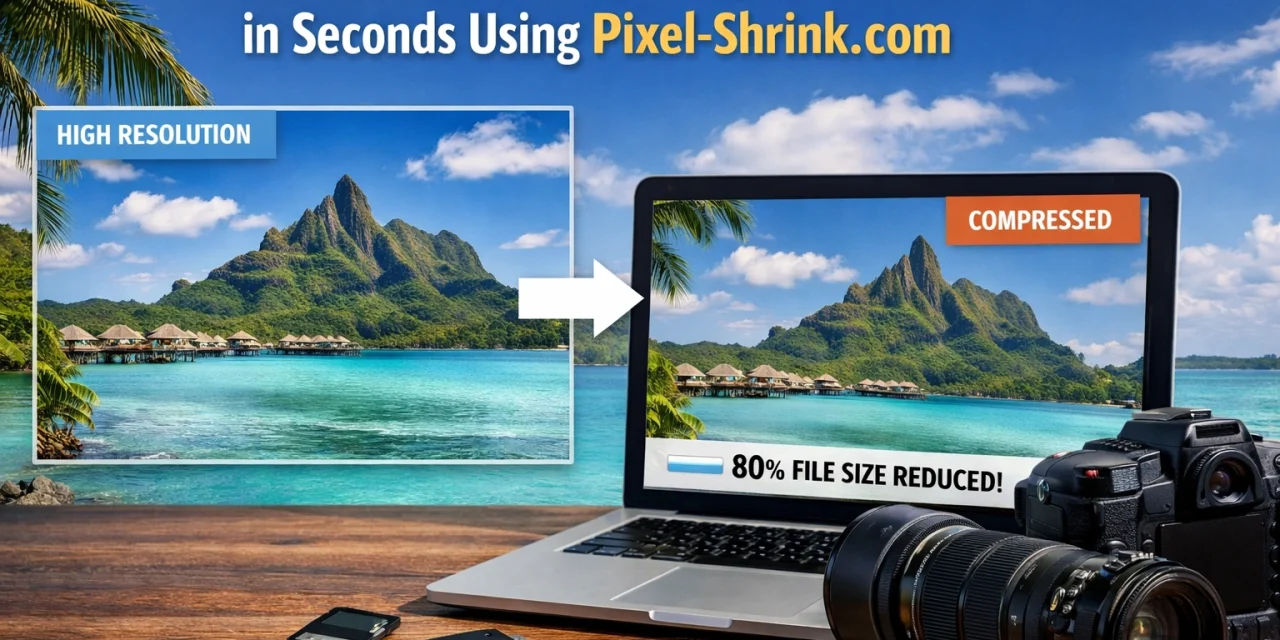
But modern algorithms have changed the game. Pixel-Shrink.com uses proprietary technology to target the data that the human eye can’t actually see. It removes redundant pixel data and bloated metadata while preserving the perceptual quality of the image. The result? A file that is 70-80% smaller but looks identical to the original to the naked eye.
When you're building a professional presence, speed is everything. A fast-loading site keeps visitors engaged and helps you rank higher on Google. If you want to dive deeper into how gear affects your output before you even get to the compression stage, check out our guide on essential photography gear.

Getting Started: The Step-by-Step Guide
The beauty of Pixel-Shrink.com is its simplicity. You don’t need to download a heavy desktop application or navigate a confusing interface. Here is how I use it to process my high-res shots in seconds.
1. Prep Your Files
Before you even head to the site, make sure your files are ready. I usually export my final edits from Lightroom or Capture One at 100% quality. Even if the file is massive, Pixel-Shrink will handle the heavy lifting. If you’re looking for more tips on the technical side of the craft, our educational category has plenty of resources.
2. The Bulk Upload
Navigate to Pixel-Shrink.com. You don’t have to upload photos one by one: who has time for that? You can drag and drop a whole folder of 100+ images directly into your browser window. Thanks to its parallel processing engine, the site starts crunching the numbers on all those files simultaneously.
3. Choose Your Format
You have a few options here:
- JPEG: The classic. Best for standard web use and sharing with clients.
- PNG: Use this if you have graphics or logos that need transparency.
- WebP: This is the secret sauce for SEO. It’s a modern format that offers even smaller file sizes than JPEGs without sacrificing quality.
4. Select Compression Level
Pixel-Shrink gives you control over how aggressive you want to be:
- Balanced: Perfect for standard blog posts or social media.
- Professional: This is my sweet spot. It cuts the size down significantly while keeping the fine details sharp.
- High Fidelity: Use this for hero banners or full-screen galleries where every single pixel counts.
5. Download and Review
Once the processing is done: usually in just a couple of minutes: you’ll get a summary of how much space you saved. Download the zip file, and you’re good to go.
Speed: The Photographer’s Secret Weapon
In the professional world, time is literally money. If you’re spending hours waiting for files to upload or export, you’re losing time you could spend shooting or finding new clients. Using a tool like Pixel-Shrink.com, especially with the support of a platform like proshoot.io, streamlines the "boring" part of photography.
I’ve found that by optimizing my images, my website: where I showcase my fine art photography: runs significantly smoother. It’s reassuring to know that a potential client isn’t going to bounce from my site just because a high-res landscape took ten seconds to load.
SEO and Your Online Portfolio
If you care about people finding your work online, you have to care about SEO. Google’s "Core Web Vitals" place a huge emphasis on page load speed. If your images are unoptimized, your site is effectively being penalized.
When I write about my travels or photography techniques on my blog, I make sure every single image has been through a compression pass. It’s a small step that makes a massive difference in how many people actually see the content. For more tips on the intersection of gear and digital presence, I always recommend keeping an eye on Shut Your Aperture.
Pro Tips for Maximum Efficiency
If you want to really master your image workflow, keep these tips in mind:
- Rename Before Uploading: Give your files descriptive names (like "sunset-over-miami-beach.jpg") before you compress them. This helps with SEO and keeps your files organized once you download the compressed batch.
- Spot Check: Even though the algorithm is world-class, I always do a quick spot check on 2 or 3 images from a large batch. I zoom in to 100% to make sure the fine textures: like skin or fabric: are still there.
- Hero Images Need More Love: For the "Hero" image at the top of a webpage, I always use the "High Fidelity" setting. Since it’s the first thing a user sees, I want it to be absolutely perfect.

Why We Recommend Pixel-Shrink.com
There are a lot of tools out there, but Pixel-Shrink stands out because it strikes the perfect balance between power and ease of use. It’s built for photographers who don't want to get bogged down in technical jargon but still demand professional results.
Whether you’re an event photographer in Atlanta or you’re just getting started with your first camera, having a reliable compression tool is a must. It’s about taking pride in your work not just when you click the shutter, but all the way through to the moment the client sees the final image on their screen.
Final Thoughts
Photography is an art, but delivering those photos is a science. By using Pixel-Shrink.com, you’re ensuring that your art is delivered in the best possible way: fast, clean, and beautiful.
Don't let massive file sizes hold your portfolio back. Give it a try on your next set of exports, and you’ll see exactly what I mean. And remember, if you’re looking to take your professional game to the next level, check out the resources at proshoot.io. They’ve got the tools and the community to help you grow.
The world of photography is always changing, and keeping up with the latest tools is part of the journey. If you ever feel overwhelmed by the technical side, just take a breath and remember why we do this: to capture moments that matter. We're here to make the technical stuff easy so you can get back to what you love.
Happy shooting!













