

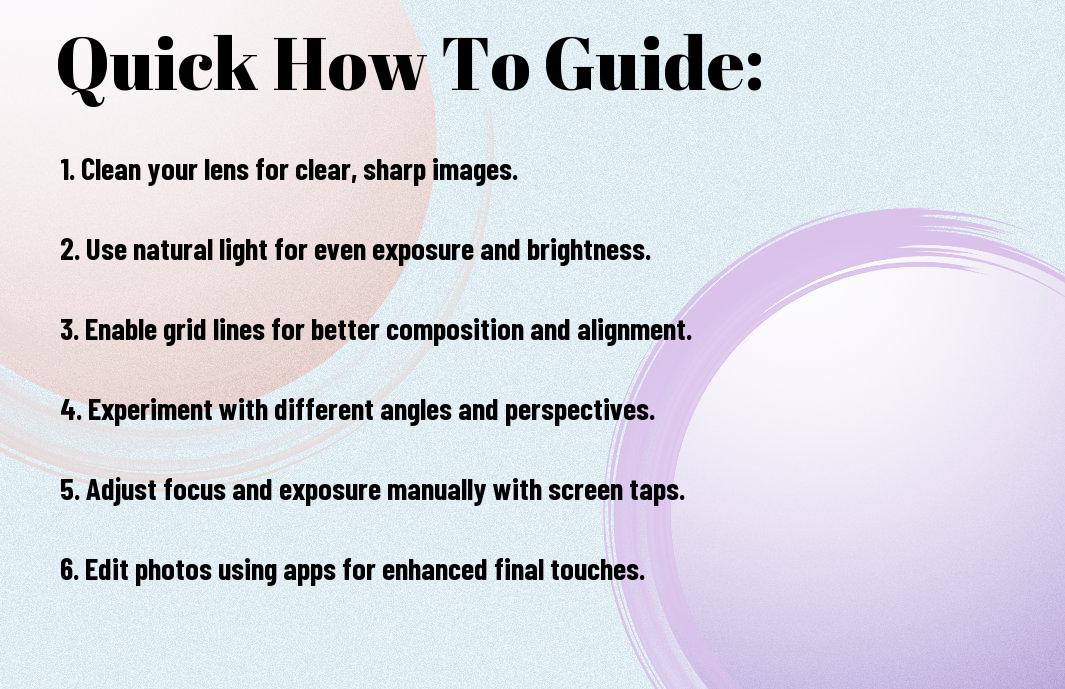
This guide will equip you with effective techniques to enhance the clarity and quality of your iPhone photos. You’ll discover methods to adjust settings, improve composition, and utilize natural light, ensuring that each image you capture is sharp and visually appealing. Whether you’re a novice or looking to polish your skills, these proven strategies will help you elevate your photography game, turning mundane snapshots into stunning visuals that truly stand out.
Understanding Your iPhone Camera
Before exploring into enhancing your photography skills, it’s important to familiarize yourself with the iPhone’s camera capabilities. Understanding your device will empower you to make the most out of its features, ensuring your photos are both striking and professional. With advancements in technology, your iPhone serves as a powerful tool right in your pocket.
Key Features of iPhone Camera Systems
While exploring the iPhone camera systems, you’ll find multiple features that enhance your photography experience:
- Multiple lens options (wide, ultra-wide, telephoto)
- Night mode for low-light shooting
- Smart HDR for better contrast and detail
- Portrait mode for focusing on subjects
- 4K video recording capabilities
- Advanced image stabilization
After mastering these features, you’ll be prepared to take excellent photos in various conditions.
Technical Limitations and How to Overcome Them
While iPhone cameras are highly advanced, they still have some technical limitations that you should be aware of. Problems such as low light performance and fixed focal lengths can challenge your photographic creativity. Understanding these limitations will help you strategize and compensate for them effectively.
Systems like third-party apps can improve your control over exposure and focus, making it easier to achieve your desired results. Additionally, using external lenses can expand your shooting options, providing a unique perspective. Adapting your techniques, like utilizing natural light and stabilizing your device, will ensure you capture the best possible shots despite these constraints.

Essential Photography Fundamentals
The foundation of sharp iPhone photography lies in understanding key photography principles. By grasping fundamental elements such as composition, lighting, and exposure, you pave the way for capturing stunning images. Start exploring your creativity by applying techniques that enhance your photographs and transform everyday scenes into captivating visuals. With practice, you’ll develop your unique style and improve the quality of your shots significantly.
Composition Techniques for Mobile Photography
With mobile photography, effective composition can make all the difference. Utilize techniques like the rule of thirds by aligning subjects off-center to create a more dynamic image. Explore leading lines to draw the viewer’s eye and experiment with framing elements found within your surroundings. By critically evaluating your scene and arranging elements thoughtfully, you’ll produce well-balanced and engaging photos every time.
Mastering Light and Exposure
Any photographer will tell you that light and exposure are vital to achieving sharp images. Learning to manipulate available light can elevate your mobile photography, allowing you to capture the essence of your subject. Pay attention to natural light sources and adjust your camera settings for optimal exposure, ensuring your pictures shine with clarity and detail.
Light plays a significant role in the overall quality of your photographs. Utilize golden hour—the hours shortly after sunrise and before sunset—when natural light is softer and warmer, enhancing your images’ beauty. Experiment with different light sources, such as side lighting or backlighting, to create depth and dimension. Understand how exposure settings influence your shots—use manual adjustment tools for precise control. By mastering these elements, you’ll elevate your visual storytelling and produce striking images with your iPhone.
Camera Settings and Controls
For mastering iPhone photography, understanding your camera’s settings and controls is vital. Explore your Camera app to unlock various features that can enhance your images significantly. Familiarize yourself with elements such as exposure, focus, and white balance. Adjusting these settings allows you to adapt to different lighting conditions and subjects, ultimately leading to sharper and more dynamic photos.
Pro Mode Features and When to Use Them
Some of the most powerful tools available in the iPhone camera are found in Pro Mode. This feature allows you to manually adjust settings such as ISO, shutter speed, and focus, giving you precise control over your photography. You should use Pro Mode in scenarios like low-light settings or when capturing fast-moving subjects, where traditional automatic settings may struggle to deliver the desired results.
HDR, Live Photos, and Portrait Mode Tips
If you’re keen on maximizing your photographic potential, leveraging HDR, Live Photos, and Portrait Mode can elevate your shots. Here are some tips to utilize these features effectively:
- Use HDR for scenes with stark contrasts between light and shadow.
- Live Photos can capture movement, making moments more dynamic.
- Portrait Mode is best for isolating subjects against blurred backgrounds.
Knowing how to apply these features will help you tailor your images to capture the essence of every moment.
Another way to enhance your photos is by incorporating a deeper understanding of HDR, Live Photos, and Portrait Mode. Here are additional pointers:
- Activate HDR in high-contrast situations for balanced exposure.
- Consider using Live Photos to add a playful element to your memories.
- Experiment with Portrait Mode’s lighting effects for striking portraits.
Knowing these nuances equips you with the skills needed for stunning, professional-quality photography.

Stability Factors for Sharp Images
All photographers understand that stability is vital for achieving sharp images. When taking photos with your iPhone, focus on these stability factors:
- Use both hands to grip the phone securely.
- Keep your elbows close to your body.
- Stabilize against a solid surface when possible.
- Avoid fast movements just before you take a shot.
The techniques you adopt can significantly impact the clarity of your images.
Proper Hand-Holding Techniques
Clearly, mastering hand-holding techniques can enhance your smartphone photography. Start by using both hands to cradle your iPhone, offering additional stability. Position your elbows against your body to minimize movement, and take a deep breath before capturing the shot. This is imperative when shooting in low-light conditions or at slower shutter speeds, where any shake can result in blurred images.
Tripods and Stabilization Accessories
Proper stabilization often requires additional tools like tripods or stabilization accessories. These devices offer a steady platform for your iPhone, allowing you to take longer exposures or capture intricate details without unwanted blur. They can also help when composing shots, enabling you to maintain your desired frame and perspective effortlessly.
Another great option is to invest in accessories designed specifically for mobile photography. Many flexible tripods can adapt to various surfaces and angles, ensuring maximum stability. Some accessories include handheld gimbals that actively counteract any shakes and vibrations, perfect for movement-heavy scenarios. By complementing your iPhone with these tools, you’ll elevate the quality of your images.

Focus and Depth of Field
Not having precise control over focus can lead to disappointing shots. To enhance your iPhone photography, mastering focus and depth of field is vital. Utilizing these techniques allows you to bring attention to your subject while creatively blurring out the background, resulting in stunning images that stand out.
Achieving Perfect Focus Every Time
To ensure perfect focus, tap on the subject that you want to highlight before capturing your photo. This simple action helps your iPhone’s camera prioritize that specific area, producing sharper details. Experiment with different focusing techniques, like holding the shutter button to lock focus and exposure, enabling you to create dynamic compositions effortlessly.
Creating Depth with iPhone Photography
Little adjustments in your composition can significantly enhance the sense of depth in your images. By incorporating foreground elements and utilizing leading lines, you guide the viewer’s eye into the scene, making your photography more immersive and dynamic.
It’s imperative to explore various angles and levels for adding depth to your iPhone photos. Positioning yourself low to the ground or incorporating interesting objects in the foreground can create layers, elevating your images beyond simple snapshots. Using the portrait mode feature, when available, can also emphasize your subject by creating a blurred background, further enhancing the three-dimensional feel of your composition.
Post-Processing Methods
Many photographers underestimate the power of post-processing, but it can elevate your iPhone photos to a professional level. By utilizing various editing techniques and tools, you can enhance colors, adjust lighting, and refine details, turning a good shot into a stunning one. A well-edited image can truly reflect your creative vision and improve the overall quality of your photography.
Built-in iPhone Editing Tools
For a quick and efficient way to enhance your images, take advantage of the built-in editing tools on your iPhone. These tools allow you to crop, adjust exposure, play with color filters, and apply various effects right within your Photos app. With just a few taps, you can transform your images without the need for external software.
Third-Party Apps for Professional Results
While Apple’s editing features are handy, third-party apps can offer even more advanced options for fine-tuning your photos. These apps often include sophisticated filters, brushes, and editing capabilities that can help you achieve a distinctive style and look.
Another great benefit of using third-party apps is their vast range of features specifically designed for serious photographers. Programs like Adobe Lightroom, Snapseed, and VSCO provide tools for detailed adjustments, such as selective editing, noise reduction, and precise color grading. These apps empower you to explore your creativity while giving you the control needed for professional-quality photography.
Conclusion
Taking this into account, implementing these proven how-to methods for sharper iPhone photography will significantly enhance your photographic skills. By mastering techniques such as adjusting exposure, utilizing gridlines, and experimenting with different angles, you can capture stunning images that truly convey your vision. Additionally, understanding lighting and composition will further elevate the quality of your shots. With consistent practice and a keen eye for detail, your iPhone photography can reach new heights, making your photos stand out and resonate with viewers.













