

There’s a world of creativity at your fingertips when it comes to iPhone photography. Whether you’re capturing everyday moments, stunning landscapes, or vibrant urban scenes, a few simple techniques can elevate your images from ordinary to extraordinary. In this post, you’ll uncover quick and effective how-to ideas that will help you take dynamic photos, making the most of your iPhone’s capabilities. Get ready to transform your photography skills and impress your friends with eye-catching shots that stand out in any context!
Essential iPhone Camera Settings
The right camera settings can significantly enhance your photography experience. Start by familiarizing yourself with the iPhone’s camera settings to optimize your shots. Adjust features like exposure, focus, and resolution to suit the lighting conditions and the type of photos you want to capture. Don’t forget to experiment with different settings to find what works best for your style and subject matter.
Mastering HDR and Live Photos
Camera features like HDR (High Dynamic Range) and Live Photos can elevate your images. When you enable HDR, your iPhone captures multiple exposures and combines them for richer detail in both highlights and shadows. Live Photos not only take a snapshot but also record a few seconds of sound, bringing your memories to life. Experiment with these features to make your photos more dynamic!
Using Grid Lines for Better Composition
Even the best camera can take mediocre photos without proper composition. Grid lines can help you adhere to the rule of thirds, a fundamental principle that enhances balance and visual interest in your shots. By enabling this feature in your iPhone settings, you can easily align subjects and horizons, guiding the viewer’s eye through the image.
With grid lines displayed, you’ll find it easier to position your subjects thoughtfully and create more engaging compositions. This simple tool encourages you to think about framing and perspective, ultimately leading to more dynamic images. Keep the grid in mind as you capture various scenes, whether you’re photographing landscapes or portraits, to improve the overall quality of your images.

Lighting Factors for Stunning Photos
If you want to elevate your iPhone photography, understanding lighting is important. Consider these key factors:
- Time of day and the quality of natural light
- Direction and angle of light
- Using shadows creatively
- Adjusting exposure settings on your iPhone
After mastering these elements, you’ll notice a significant improvement in your photos.
Working with Natural Light
Little adjustments can make a big difference when using natural light. Try shooting during the golden hour—shortly after sunrise or before sunset—for that perfect warm glow. Positioning your subjects near windows can also create soft, flattering light. Keep an eye out for diffused light on cloudy days, which helps to wrap your subjects in an even, gentle illumination.
Tackling Low-Light Situations
Factors that come into play in low-light scenarios include available light sources, your phone’s capabilities, and any available stabilization techniques. To capture sharp images in dim conditions, utilize your iPhone’s Night Mode feature. Make sure to hold your phone steady for a few seconds for optimal results. Using a tripod is another excellent option when shooting in the dark, and it helps you focus on composition without the risk of creating blurry photos.
Natural light may dwindle, especially as the sun sets, but that doesn’t mean you have to compromise your photography. Look for light sources like streetlights, neon signs, or even candles to enhance your images. If you’re indoors, turn on overhead lights or lamps, and consider employing a slower shutter speed to allow more light to hit the sensor. Experiment with these techniques to find what works best for your style, even in challenging conditions.
Composition Tips for Visual Impact
After mastering the technical aspects of photography, focus on composition to elevate your images. Effective composition draws the viewer’s eye and enhances storytelling. Consider these tips:
- Utilize leading lines to guide the viewer’s gaze.
- Frame your subject with surrounding elements.
- Experiment with negative space to emphasize your subject.
- Vary your angles to capture unique perspectives.
Any attention to composition can significantly enhance your photography results.
Rule of Thirds in Practice
On your iPhone, applying the Rule of Thirds can make your images more visually appealing. Activate the grid feature in your camera settings to divide your frame into nine equal sections. Position key elements along these lines or at their intersections to create a balanced and engaging composition. This technique encourages dynamic layouts that keep viewers intrigued.
Creating Depth in Your Images
Any successful photograph often conveys depth, making it feel more layered and inviting. By incorporating foreground, middle ground, and background elements, you can add dimension to your images. Use objects in the foreground to establish a sense of scale, drawing viewers into the scene. This technique also invites the eye to explore all parts of your photograph, creating a more immersive experience.
A thoughtful layering of visual elements in your composition can exponentially enhance the depth of your photos. Experiment with varying focal points and utilize natural frames, such as archways or trees, to encompass your subject. By taking into account the relationship between your subject and its environment, you can create stunning images that resonate with viewers and evoke emotion through spatial dynamics.

Movement and Action Photography
Despite the challenges of capturing fast-moving subjects, movement and action photography can yield breathtaking results with your iPhone. Utilize its advanced camera features and shooting modes to convey energy and excitement. Whether you’re photographing athletes in motion or your pets at play, understanding how to seize the moment is key to stunning action shots.
Capturing Motion Blur Intentionally
While you can freeze action with faster shutter speeds, intentionally capturing motion blur can add a dynamic feel to your photos. To achieve this effect, lower your shutter speed and follow the moving subject with your camera. The result is a beautiful contrast between the sharp focus on the subject and the blurred background, creating a sense of speed and movement.
Burst Mode Techniques for Action Shots
Techniques for using burst mode on your iPhone are ideal for seizing those split-second moments in action photography. With burst mode activated, your iPhone captures a series of rapid-fire images with one press of the shutter button. This allows you to choose the exact frame that perfectly captures the peak of action, ensuring that you won’t miss a moment.
Photography in burst mode works best when you anticipate the action. This mode is particularly effective for sports or events with unpredictable movements. Keep your subject in focus and press the shutter button; your iPhone will handle the rest, giving you a selection of images to choose from. After capturing, review the series and choose the shot that conveys the intensity and excitement of the action, providing you with stunning visuals to share.

Editing Techniques for Professional Results
All the great photography in the world wouldn’t shine without effective editing. By utilizing various editing techniques, you can transform your dynamic iPhone images into professional-quality photos. To achieve polished results, explore features available on your device and consider investing time in post-processing to enhance colors, correct exposure, and apply creative filters tailored to your aesthetic vision.
Native iPhone Editing Tools
iPhone offers a robust built-in editing suite within the Photos app, which allows you to make quick adjustments directly after capturing your shots. You can crop, adjust brightness, contrast, and saturation, as well as apply filters to enhance the overall mood of your images. The intuitive interface makes it easy for you to experiment and refine your photos until they meet your standards.
Third-Party Apps Worth Downloading
Worth exploring are third-party apps that can take your editing capabilities to the next level. Popular options such as Snapseed, Lightroom, and VSCO provide advanced features, extensive presets, and more control over your editing process, allowing you to tailor your images to perfection.
Professional editing apps like Snapseed and Lightroom come packed with features that can elevate your iPhone photography. These apps allow for fine-tuning images with advanced adjustments such as selective editing and precision masking. Additionally, they often include unique filters and presets that enable you to create a cohesive style across your portfolio. Investing time in these tools can significantly enhance your workflow and the final output of your photographs.
Creative Effects and Styles
Once again, you can elevate your iPhone photography by experimenting with creative effects and styles. Utilize tools like filters, lighting adjustments, and compositional techniques to impart a unique flair to your images. Whether it’s capturing a moody silhouette or a vibrant splash of color, don’t hesitate to explore different angles, backgrounds, and themes that resonate with your artistic vision. By playing with these elements, your photos can transform into captivating stories that reflect your personal style.
Portrait Mode Mastery
An necessary feature for any photographer is mastering the Portrait Mode, which allows you to achieve stunning depth-of-field effects. Position your subject in good lighting and ensure they stand a few feet from a contrasting background. This will help create that professional bokeh effect, allowing your subject to pop. Experiment with different lighting settings and angles until you find that perfect shot that showcases both your subject and your creative eye.
Panorama and Time-Lapse How-To
Some of the most dynamic shots you can capture on your iPhone come from utilizing Panorama and Time-Lapse features, offering unique ways to showcase landscapes and motion over time. Both modes allow you to tell a story through time and space, engaging your viewers in unforgettable ways.
Mastery of Panorama and Time-Lapse techniques can significantly enhance your photography skills. For panoramas, ensure you hold your phone steady and follow the on-screen guide to capture seamless wide shots. With Time-Lapse, choose a scene with movement, such as a sunset or busy street, and set your iPhone for the duration you want to capture. The result will be a smooth, engaging visual narrative that feels dynamic and alive. Embrace these features to expand your creative horizons and capture moments that resonate deeply with your audience.
Summing up
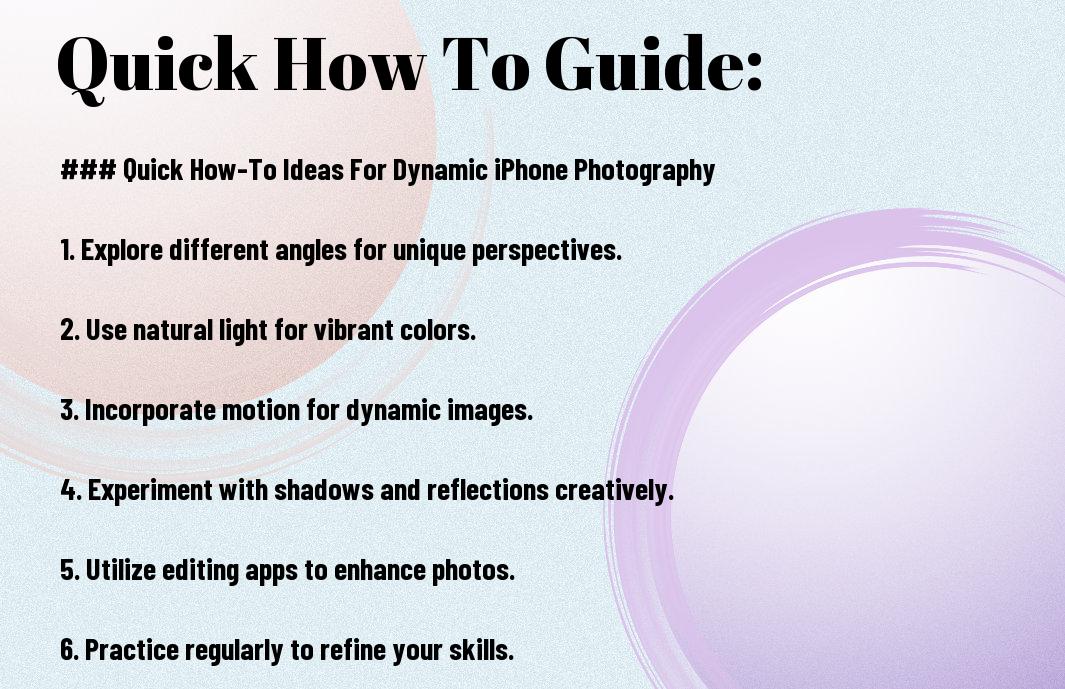
From above, utilizing dynamic iPhone photography techniques can dramatically enhance your images. Experiment with various angles and natural light to capture unique perspectives that engage viewers. Incorporate editing apps to refine your photos further and explore creative compositions, such as reflections and shadows, for added depth. By applying these quick how-to ideas, you’ll elevate your photography skills and create stunning images that reflect your unique vision. Embrace the versatility of your iPhone, and let your creativity flourish in every shot.













