
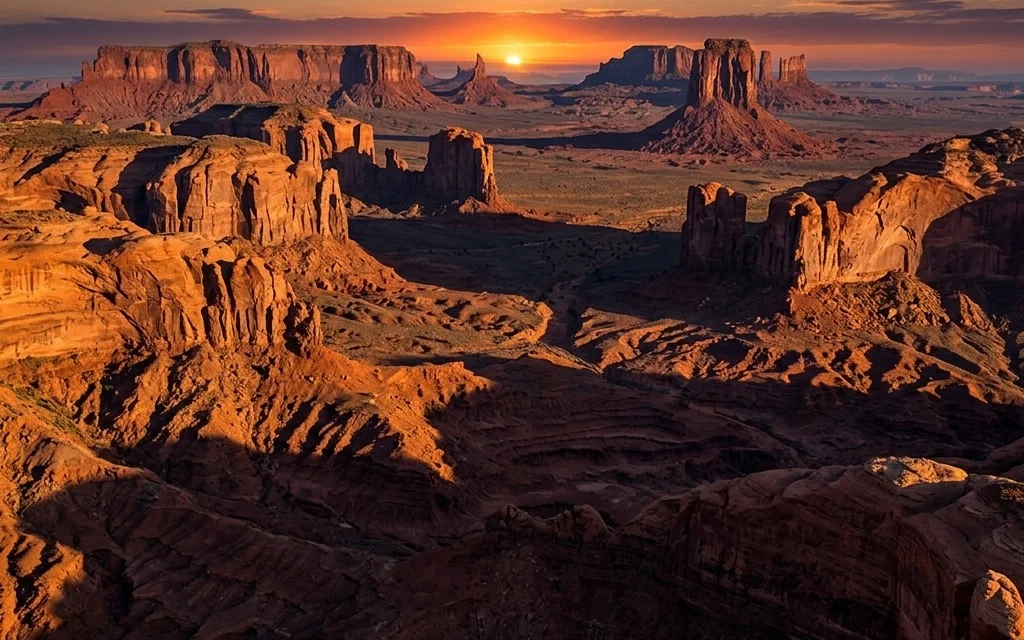
We’ve all been there. You’re out in the field, the sun is setting, and the scene looks absolutely breathtaking to your eyes. You press the shutter, look at the back of your camera, and… disappointment. Either the sky is a beautiful orange but your foreground is a pitch-black silhouette, or your foreground is perfectly exposed but the sky is a washed-out white mess.
In the old days of digital photography, we’d try to fix this with complex HDR brackets or spend hours in Photoshop meticulously painting masks to balance the light. It was tedious, and if you weren't careful, it looked "fake."
But things have changed. As part of our deep dive into why Luminar Neo is the premier tool for modern photographers, today we’re talking about one of its most "magic" features: Relight AI. This isn't just a simple brightness slider; it’s a tool that actually understands the three-dimensional space of your two-dimensional photo.
Whether you’re a landscape junkie or a portrait pro, mastering depth is the key to creating images that pop. Let’s break down how it works and how you can use it to level up your portfolio.
What is Relight AI, Anyway?
Most editing tools treat your photo like a flat piece of paper. When you turn up the exposure, the whole paper gets brighter. Even with "smart" masks, the software is usually just looking for edges or colors.
Relight AI is different. It uses a neural network to calculate a "depth map" of your image. It identifies what is close to the lens (the foreground) and what is far away (the background). It essentially reconstructs a 3D model of your scene in its "brain." This allows you to adjust the lighting of the foreground and background independently, without ever having to pick up a brush tool.
If you’ve spent any time looking at camera reviews in 2024, you know that sensors are getting better at capturing dynamic range, but they still don't see the world quite like we do. Relight AI bridges that gap.

The Core Controls: How to Drive
When you open the Relight AI tool in Luminar Neo, you’ll see a few primary sliders. Don’t let the simplicity fool you; there’s a lot of power under the hood.
1. Brightness Near
This slider targets the elements closest to your camera. If you’re shooting a portrait, this is usually your subject. In a landscape, it might be the rocks or flowers in the immediate foreground. Sliding this to the right lifts the shadows organically, making it look like you had a physical reflector or a fill light on location.
2. Brightness Far
This does exactly what you’d expect: it controls the light in the distance. This is perfect for those "blown out" skies or distant mountains that need a bit more drama. By dropping the Brightness Far while boosting the Brightness Near, you create an instant sense of depth that draws the viewer’s eye into the frame.
3. Depth
This is the "secret sauce" slider. It tells Luminar where the transition between "near" and "far" should happen. If you find that the light is bleeding onto the wrong parts of the image, moving the Depth slider will shift the "wall" of light forward or backward in 3D space.
4. De-Halo
One of the biggest issues with AI relighting in the past was the "glow" or halo effect around subjects. If you see a weird line around your subject's head, just nudge the De-Halo slider. It smooths out those transitions and keeps things looking professional and natural.

Relighting for Different Genres
I use Relight AI in almost every single one of my workflows, whether I'm working on fine art prints or a quick social media post. Here’s how to approach it depending on what you’re shooting.
For Landscape Photographers
In landscape photography, light is everything. But often, the light isn't hitting the foreground interest: like a cool rock formation: exactly how we want. Instead of using a complicated graduated filter, I use Relight AI to "re-shine" the sun onto my foreground.
A pro tip: use the Warmth Near and Warmth Far sliders. If it’s a sunset, your foreground should be a bit warmer to match the "golden hour" vibe. By cooling down the distant mountains (Warmth Far) and warming up the foreground (Warmth Near), you create a color contrast that adds massive visual interest. This is a technique I talk about a lot over on Shut Your Aperture when discussing advanced composition.
For Portrait Photographers
We’ve all been in a situation where the background is perfect, but the light on the model is just a bit flat. Maybe the sun was behind them, and you didn't have a flash handy.
Relight AI acts like a virtual lighting assistant. You can brighten your subject (Brightness Near) and subtly darken the background (Brightness Far) to make them "pop" from the environment. Because the AI understands the contours of the human body, the light wraps around the subject much more realistically than a standard radial mask.

Keeping it Real: Tips for Success
While Luminar Neo makes it incredibly easy, the key to great editing is knowing when to stop. Here are a few things I keep in mind to ensure my shots stay grounded in reality:
- Small Moves are Better: You don't always need to go to 100 on the sliders. A 20% boost is often enough to make the image feel "right" without looking processed.
- Check Your Edges: Always zoom in to 100% around the edges of your subject. If you see artifacts, play with the Depth and De-Halo sliders until they disappear.
- Think About the Source: If the sun is coming from the left, don't brighten the right side of your foreground excessively. Even with AI, you still want to respect the laws of physics.
- Education is Key: If you're new to this, check out our educational section for more deep dives into post-processing theory.
Why This Matters for Your Workflow
Time is the one thing we can't get more of. As a photographer, I’d rather be out in the field shooting in National Parks than sitting behind a computer screen for ten hours. Relight AI cuts my editing time in half because it handles the heavy lifting of masking automatically.
It’s reassuring to know that even if the conditions aren't perfect on-site, you have the tools to fix the light later without sacrificing quality. This tool isn't about "faking" a photo; it's about reclaiming the vision you had when you stood behind the lens.

Final Thoughts
The jump from 2D editing to 3D-aware editing is one of the biggest leaps in photography tech in the last decade. If you haven't tried it yet, I highly recommend downloading the trial and playing with some of your old "underexposed" raw files. You might be surprised at the life you can breathe back into them.
Light is the language of photography, and Relight AI gives you a much bigger vocabulary.
If you're looking for more ways to streamline your process, don't forget to check out our other guides, like how to use Sky AI or our essential photography gear lists. And if you're ready to take the plunge, you can grab Luminar Neo right here and start mastering depth today.
Happy shooting, and even happier editing!













